01 / 08

METRIO — PROFESSIONAL RHYTHM & PERFORMANCE SYSTEM

Practice the Rhythm.
Control the Stage.

METRIO starts where a metronome should—and keeps going. Build timing with advanced practice tools, organise songs into setlists, and move into a stage-focused workflow when rehearsal becomes performance.

30–300 BPM1/4–4/4 + 5/8–16/8Voice CountPro PracticeStage Radar
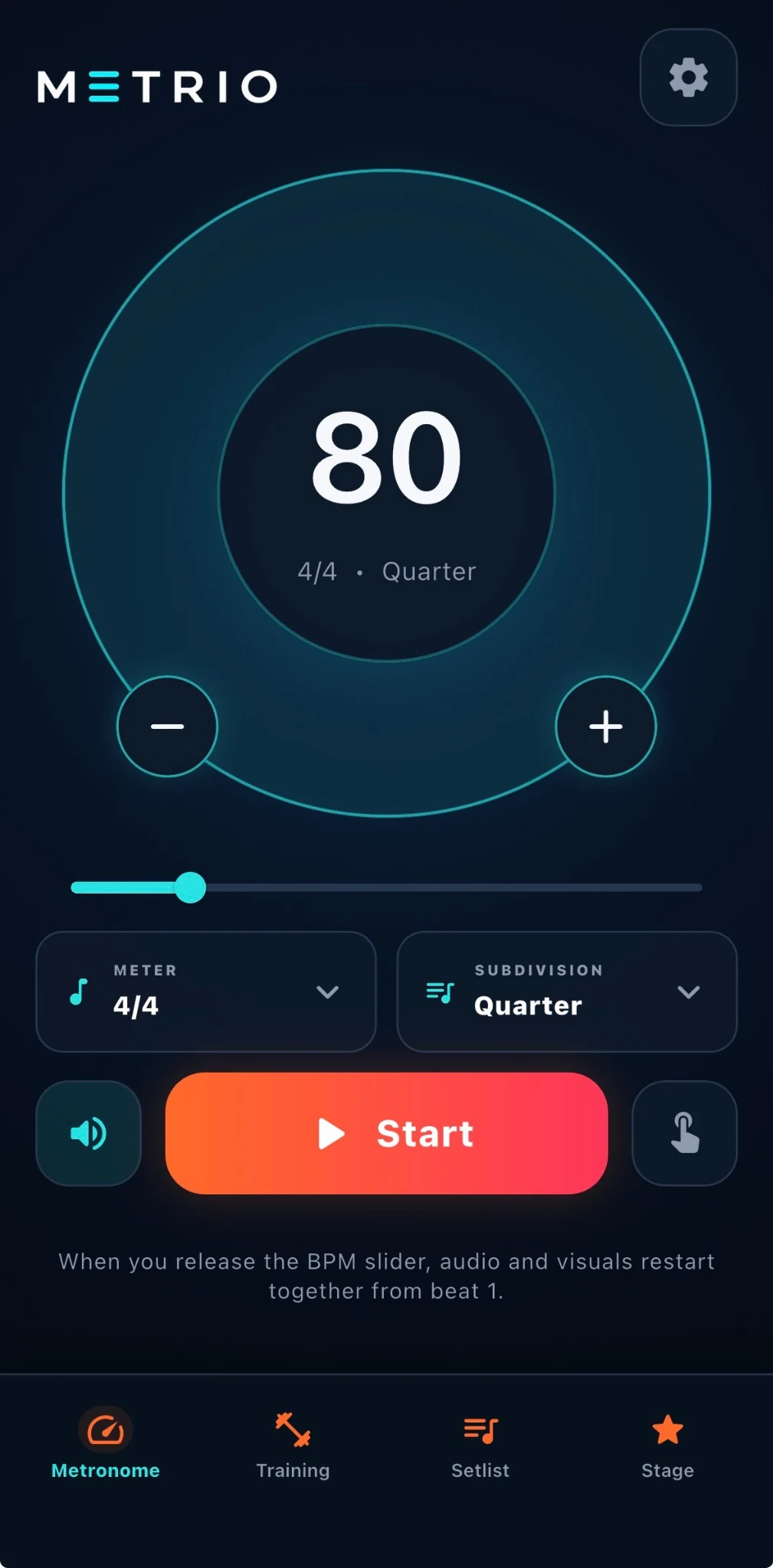
METRIO core metronome interface in English
Actual METRIO 1.0 interface
01METRONOME
02PRACTICE
03PROGRESS
04SETLIST
05PERFORMANCE
06SHOW CONTROL
02 / 08

PRO PRACTICE

Go beyond keeping time. Build control.

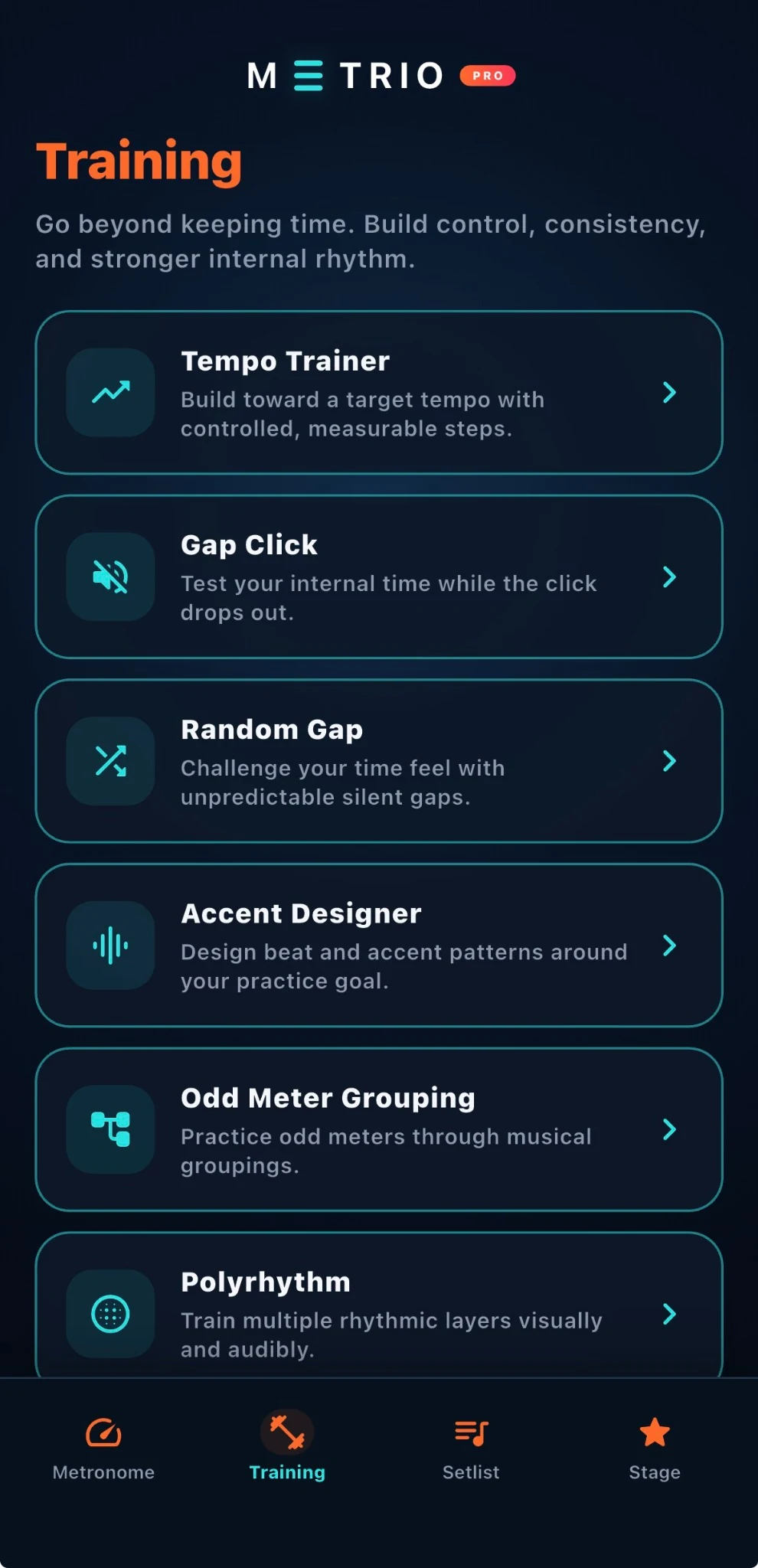
Training is where METRIO turns a metronome into a practice system. Use focused tools for tempo development, internal time, accents, odd meters and rhythmic independence—then save the work into presets and routines you can return to.

  • Tempo TrainerBuild toward a target tempo automatically.
  • Gap ClickLet the click disappear so your internal time has to carry the pulse.
  • Random GapIntroduce unpredictable silent gaps instead of memorising a fixed pattern.
  • Practice systemPresets, Practice Routines and History / Analytics keep sessions organised and reviewable.
Tempo TrainerGap ClickRandom GapPresetsPractice RoutinesHistory / Analytics
METRIO Training screen showing Tempo Trainer, Gap Click, Random Gap, Accent Designer, Odd Meter Grouping and Polyrhythm
03 / 08

TEMPO TRAINER

Make tempo growth deliberate—not accidental.

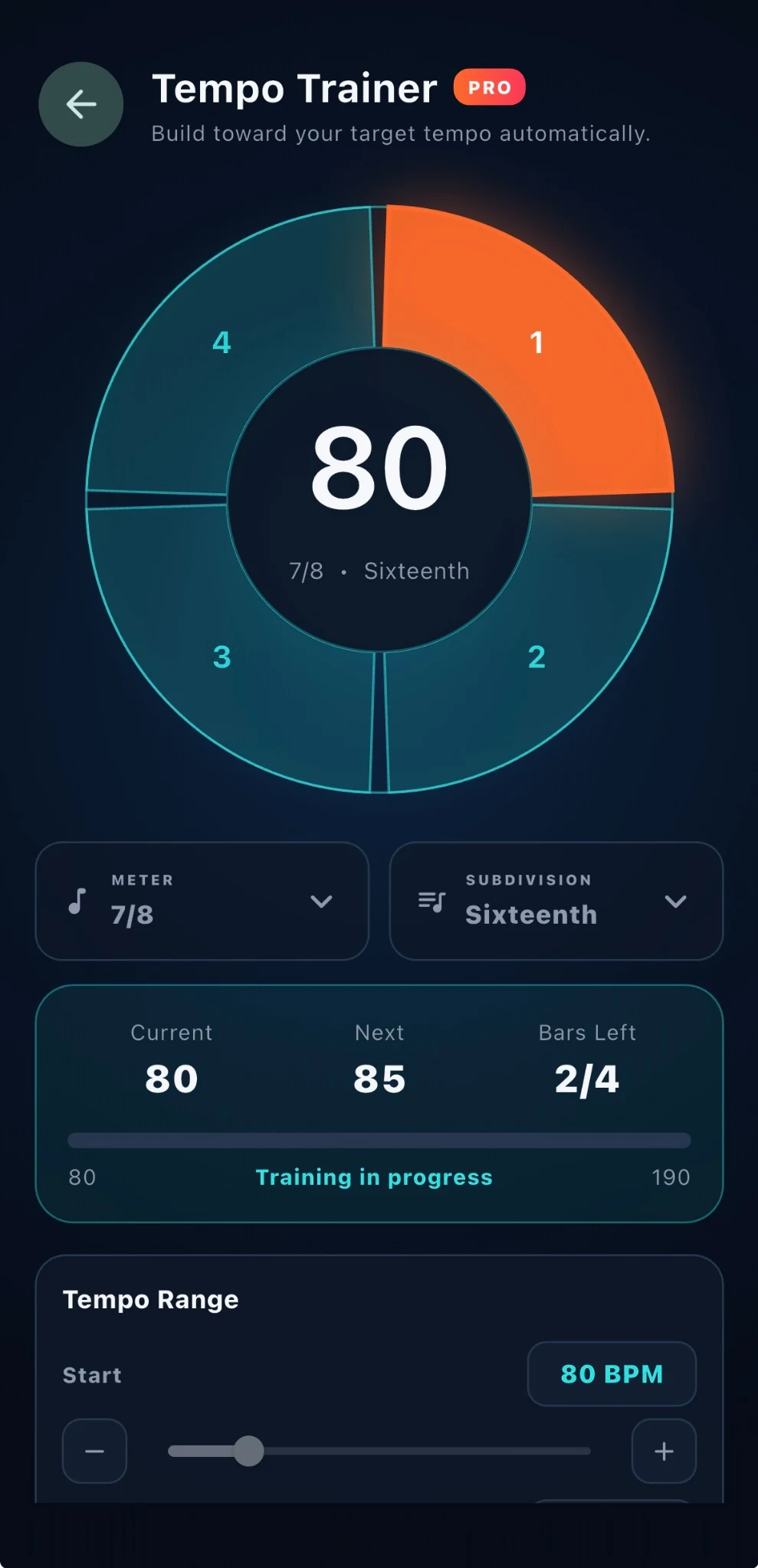
Set the starting tempo, target and progression logic, then let METRIO guide the session. Tempo Trainer keeps the musical context visible while showing what is happening now, what comes next and how far the current step has progressed.

  • Current / NextSee the active tempo and the upcoming tempo change at a glance.
  • Bars leftKnow exactly when the next transition is coming.
  • Rhythmic contextMeter and subdivision stay visible while the tempo changes.
  • Range controlBuild toward a target tempo instead of guessing from session to session.
Controlled tempo steps7/8 shownSixteenth subdivision
METRIO Tempo Trainer screen at 80 BPM in 7/8 with sixteenth-note subdivision
04 / 08

ACCENT DESIGNER

Shape the beat instead of accepting a fixed click.

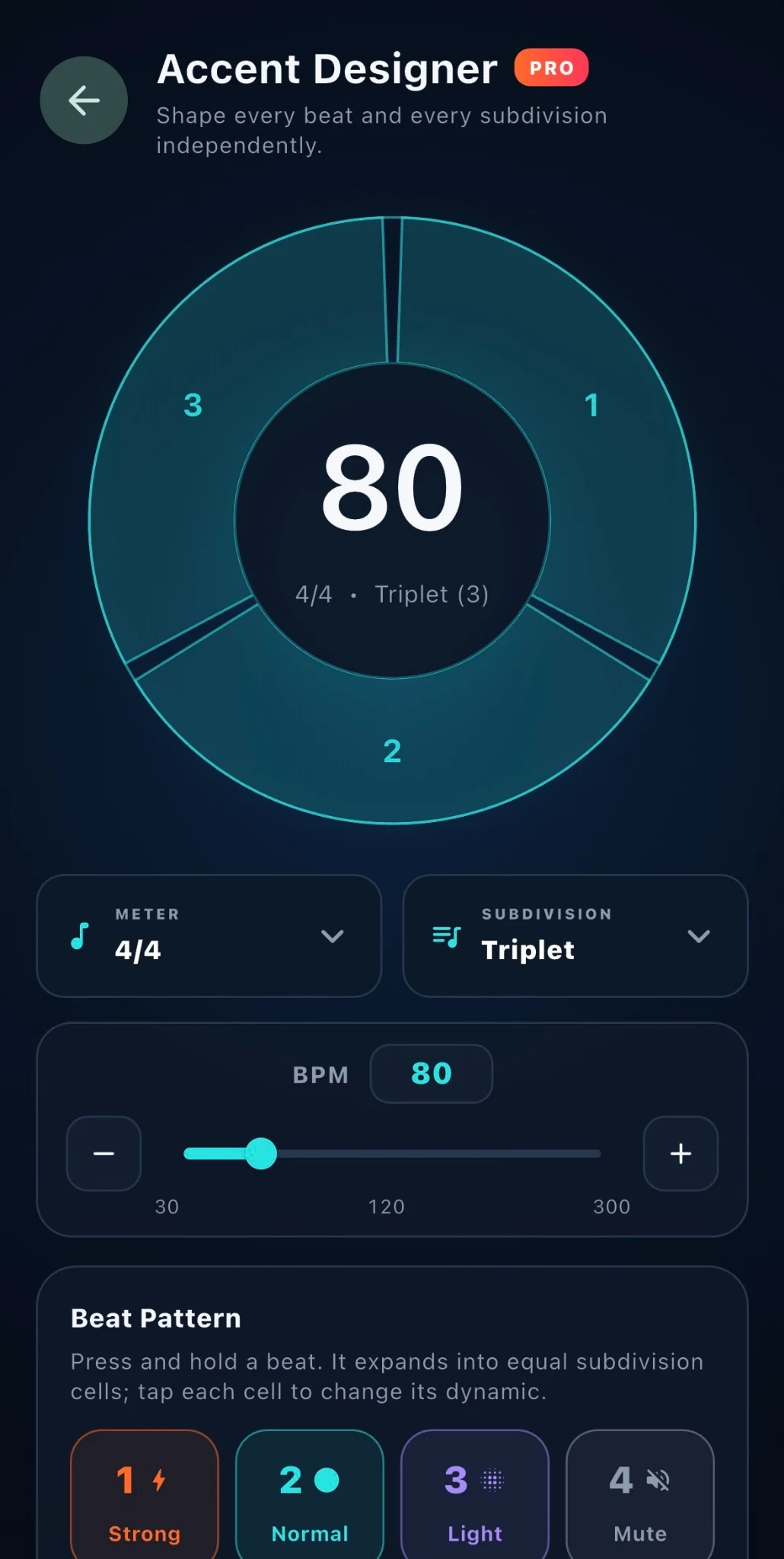
Accent Designer lets you work on the internal structure of a bar. Choose meter and subdivision, then assign different dynamics across beats and subdivision cells so the click reflects the pattern you actually need to practise.

  • MeterChoose the rhythmic frame you want to work inside.
  • SubdivisionMove beyond the quarter-note pulse into finer rhythmic grids.
  • Beat dynamicsUse strong, normal, light and mute states to shape the pattern.
  • Visual feedbackThe circular display makes the active rhythmic structure easy to read.
StrongNormalLightMuteTriplet shown
METRIO Accent Designer screen showing beat dynamics and triplet subdivision
05 / 08

ODD METER GROUPING

Make irregular meters feel musical.

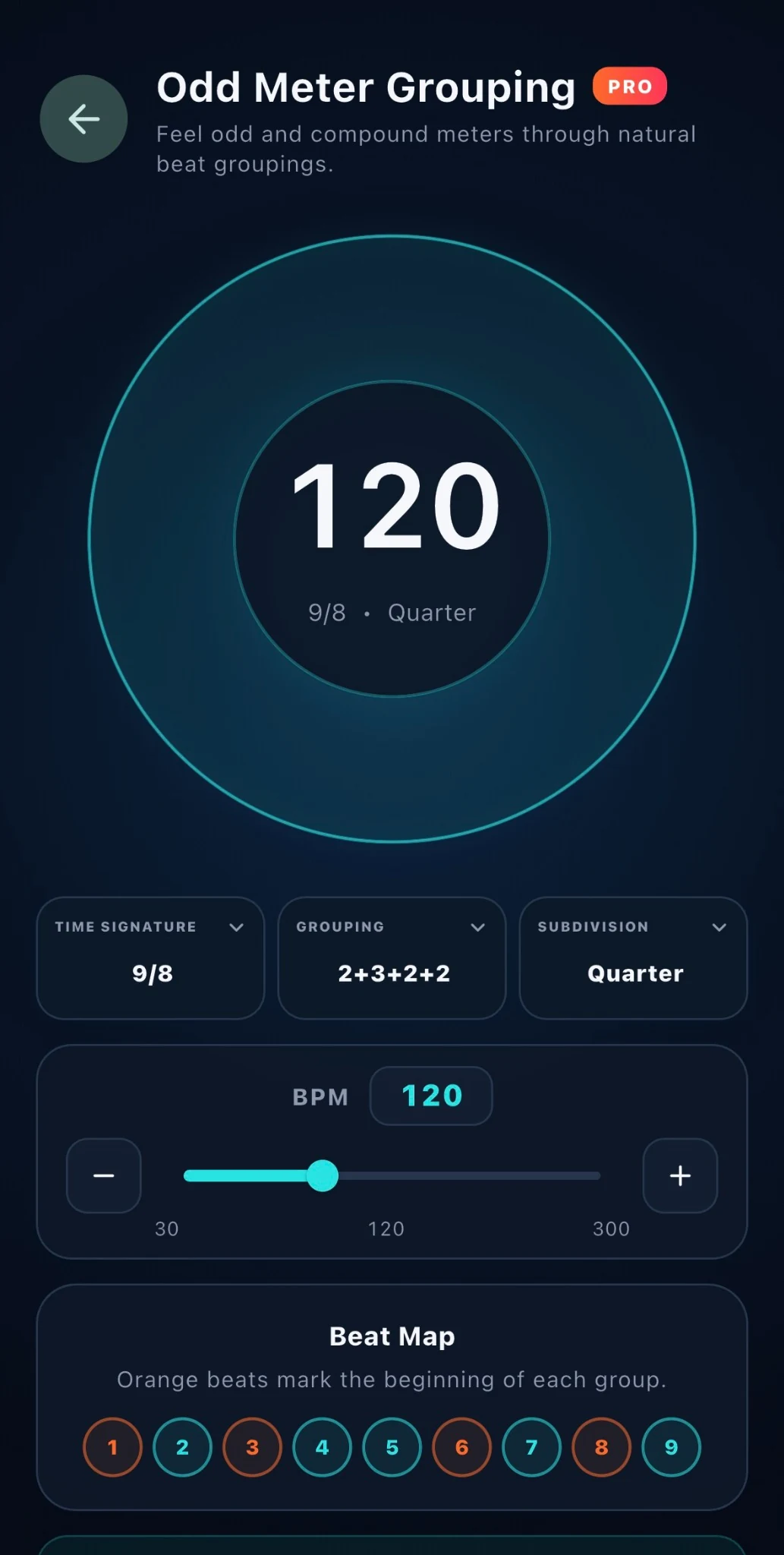
Odd meters become easier to internalise when they are felt as groups rather than as a string of numbers. METRIO lets you choose a supported odd meter, define its grouping and see the beat map while you practise.

  • Supported metersMETRIO supports odd and compound meters from 5/8 through 16/8.
  • GroupingBreak the bar into musical groupings such as the 2+3+2+2 example shown.
  • Beat mapGroup starts are visually distinguished so the structure is readable at a glance.
  • Tempo controlThe grouping stays tied to the same 30–300 BPM metronome range.
5/8–16/8Grouping controlBeat map
METRIO Odd Meter Grouping screen showing 9/8 grouped as 2+3+2+2
06 / 08

POLYRHYTHM

Train two rhythmic streams on one timeline.

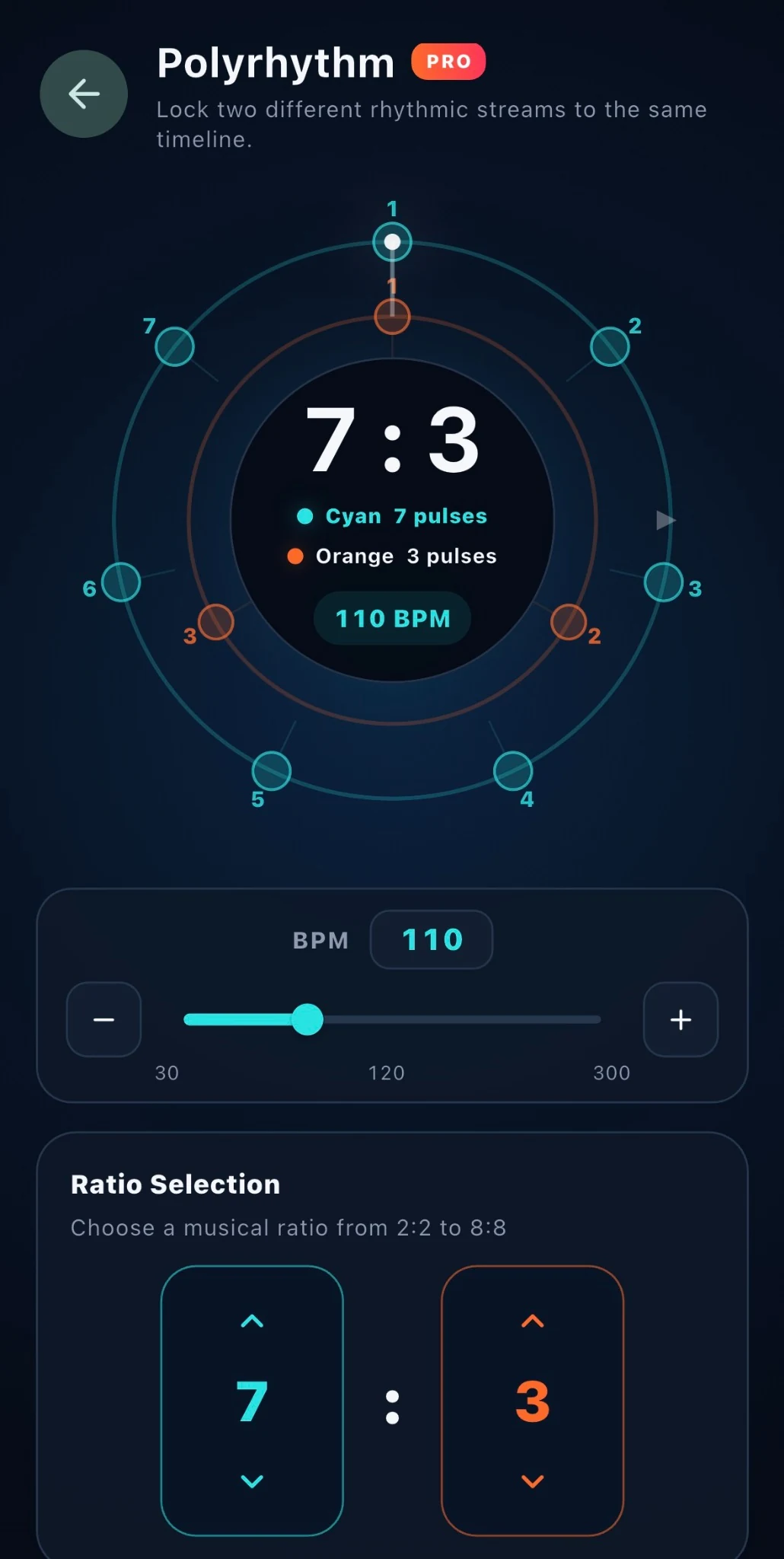
Polyrhythm places two pulse structures against the same clock so independence can be practised visually and audibly. The concentric layout makes each stream readable without turning the screen into a theory diagram.

  • Two streamsRun two independent rhythmic pulse counts against the same timeline.
  • Ratio controlChoose a musical ratio from the supported selection.
  • Shared tempoBoth streams remain tied to the same master BPM.
  • Visual separationCyan and orange distinguish the two rhythmic layers clearly.
7:3 shownShared BPMVisual + audible layers
METRIO Polyrhythm screen showing a 7 against 3 ratio at 110 BPM
07 / 08

SETLISTS

Prepare songs before the stage becomes noisy.

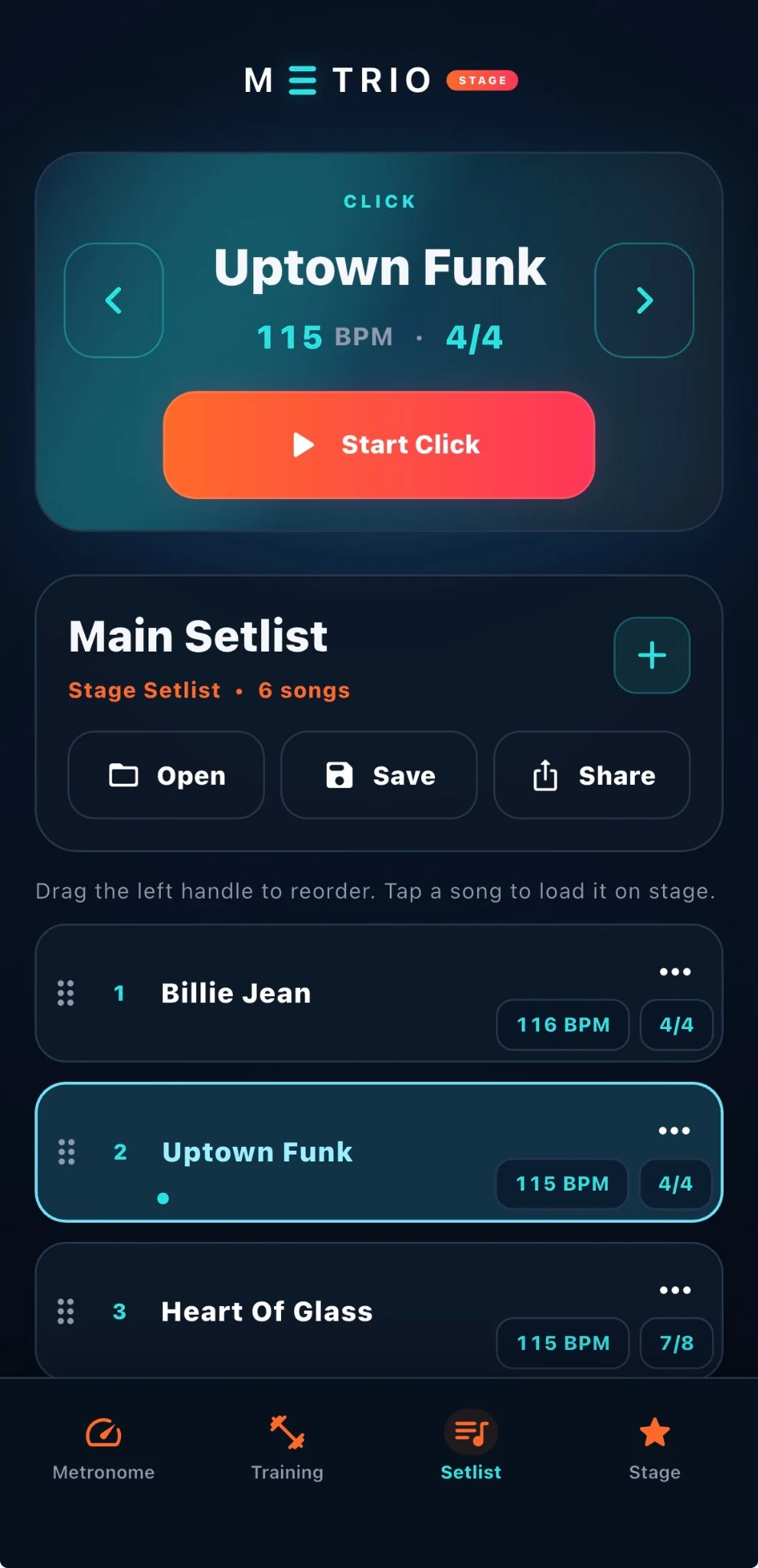
Stage work starts with organisation. Build a setlist, store song profiles, recall BPM and meter, and keep the running order ready before performance. METRIO keeps the information a musician actually needs close to the click.

  • SetlistsKeep songs in a performance-ready order.
  • Song profilesStore the BPM and meter information attached to each song.
  • RecallLoad the selected song back into the stage workflow quickly.
  • Performance ModeMove from preparation into a stage-focused interface with large controls.
SetlistsSong profilesBPM recallMeter recallPerformance Mode
METRIO Setlist screen showing Main Setlist and multiple songs with BPM and meter
08 / 08

STAGE PRO

See what is happening now—and what comes next.

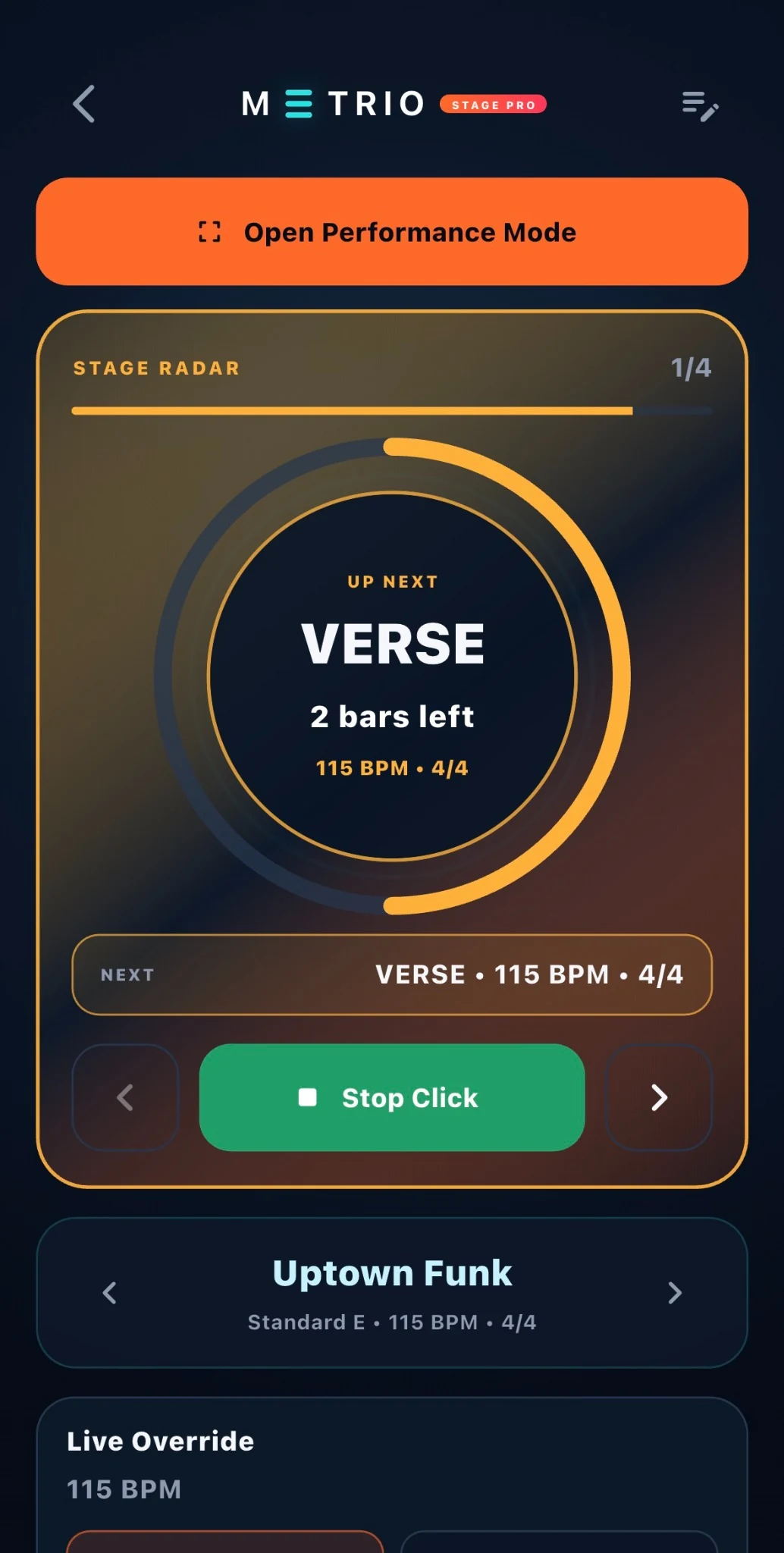
Stage Pro adds section-aware control to the live workflow. Stage Radar presents the current or upcoming section, remaining bars and progression, while Live Override gives you section-based tempo control without abandoning the performance view.

  • Performance TimelineBuild a song from named sections and follow its structure during performance.
  • Stage RadarSee current / next section information with section countdown and bar progression.
  • Live OverrideAdjust live tempo in a section-aware performance workflow.
  • ContinuityIf the click is already running, moving from Stage Radar to Performance Mode keeps it running.
  • Live cuesCount-In plus STARTING and ENDING states support the performance flow.
Performance TimelineStage RadarLive OverrideCount-InSTARTING / ENDING
METRIO Stage Radar screen showing upcoming Verse section, bars left and Live Override

PLANS

Choose the workflow you actually need.

Free, Pro, Stage and Stage Pro form a cumulative product path. Current local pricing will be shown through the App Store when METRIO is publicly available.

METRIO Free plan markMETRIO

Free

Core metronome, meter and subdivision controls, click characters, Voice Count and haptics.

No subscription required for the core experience.

METRIO Pro plan markMETRIO

Pro

Advanced practice tools, presets, Practice Routines and History / Analytics.

1-week free trial is configured for Pro Monthly and Pro Annual.
METRIO Stage plan markMETRIO

Stage

Setlists, song profiles, BPM / meter recall and Performance Mode.

No free trial is configured for Stage.
Storefront prices can vary by country or region, so the website does not present one price as universal before launch.

FAQ

Questions answered before you need to ask.

The essentials about METRIO 1.0, the plan structure and the stage workflow.

Is METRIO only a metronome?

No. The product starts with a focused metronome and expands into advanced practice, setlists, Performance Mode, Stage Radar and Live Override.

What meters and subdivisions are supported?

The core metronome includes 1/4, 2/4, 3/4, 4/4 and 5/8–16/8. Subdivisions include quarter, eighth, triplet, sixteenth, quintuplet, sextuplet, septuplet and 32nd notes.

Does METRIO require an account?

No mandatory account is required for the current METRIO 1.0 product experience.

Which languages are supported?

METRIO supports English and Turkish.

What is the difference between Stage and Stage Pro?

Stage focuses on setlists, song profiles, BPM / meter recall and Performance Mode. Stage Pro adds Performance Timeline, Stage Radar, section-aware information and Live Override.

Will the click stop when moving from Stage Radar to Performance Mode?

No. In the verified 1.0 behaviour, an already-running click continues during that transition.

Where will pricing be shown?

Once METRIO is public, the App Store will show the current local price for the user’s storefront.
METRIO app icon

SUPPORT

Need help with METRIO?

The support route is already real. Reach METRIO directly or open the dedicated support page for product guidance.
support@metrioapp.com

Open Support